Hotseat

Security and privacy, in plain words

How two computers come to trust each other, what crosses your network, and what never leaves it.

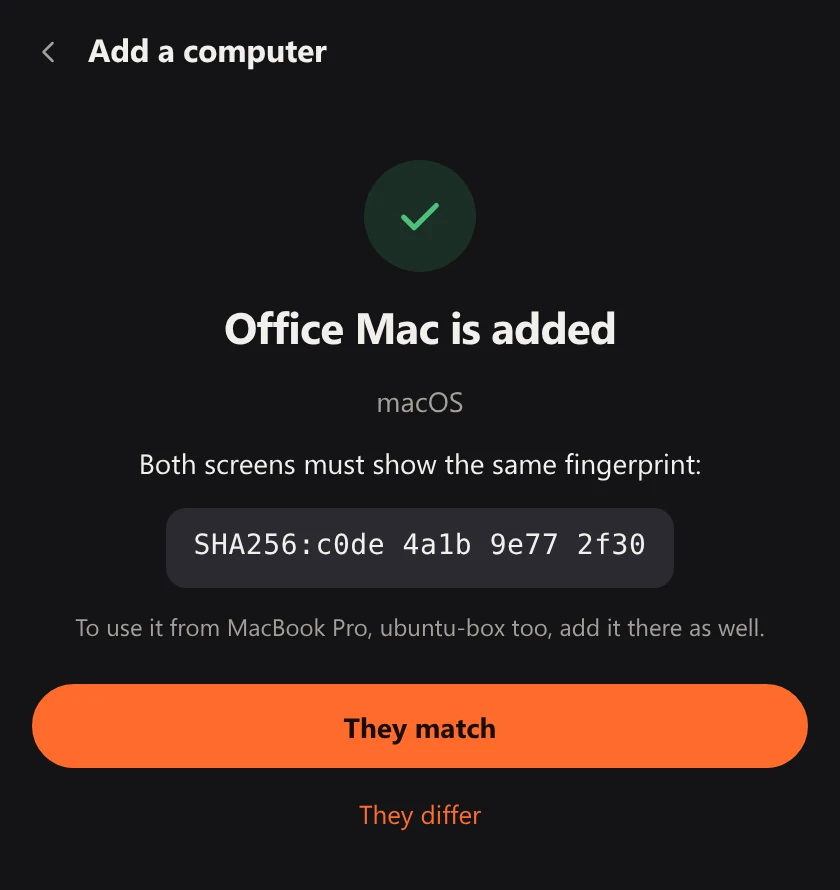
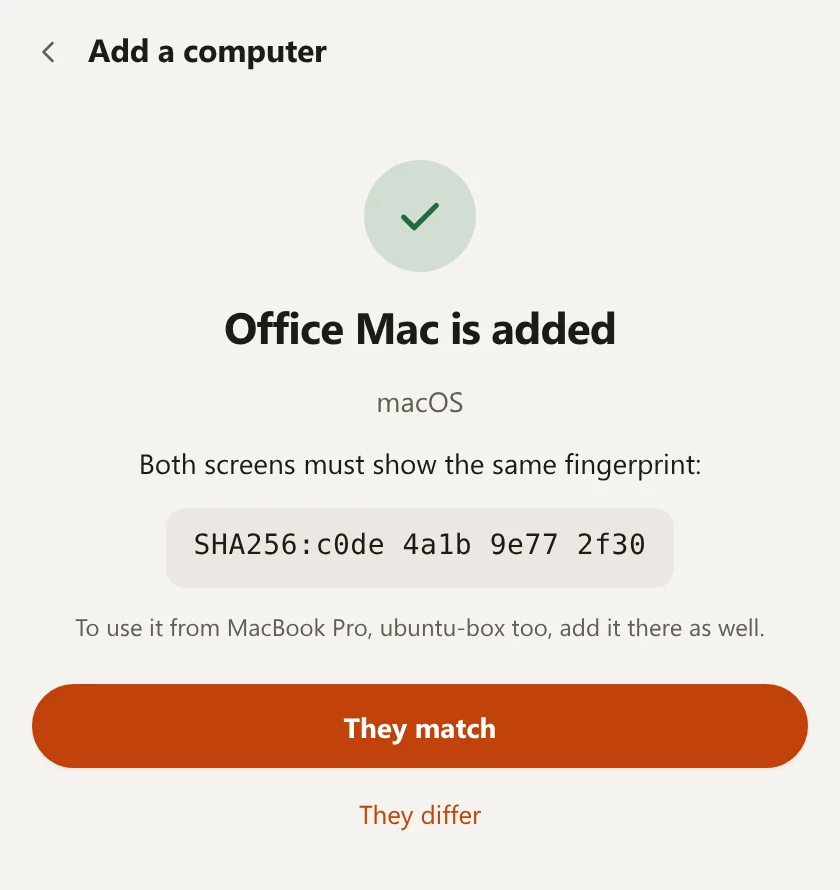
Hotseat, Add a computer: Office Mac is added. Both screens must show the same fingerprint, a short line of letters and digits. Two buttons: They match, and They differ.Hotseat, Add a computer: Office Mac is added. Both screens must show the same fingerprint, a short line of letters and digits. Two buttons: They match, and They differ.
After the code, both computers show the same fingerprint. You compare them and say whether they match.

Pairing

Two computers trust each other only after you say so

Nothing is paired by itself, and nothing is found and trusted because it happens to be on the same network. You read a code from one screen and type it on the other.

The code
One computer shows six digits and you type them on the other. The code works for 10 minutes and for three tries; after that a new one is needed. It is not sent across as it is: each side proves to the other that it knows it.
The fingerprint
A short form of the two computers' keys. After the code, both screens show it. If the two are the same, these two computers paired with each other and nobody came in between. If they differ, choose They differ and Hotseat removes the computer again.
After that
Each computer keeps the other's key and accepts only the keys it was paired with. A computer that was never paired is turned away before anything else is said.
To undo it
Forget a computer from its card in the Hotseat window, and it can no longer connect.

What crosses your network

All of it inside one encrypted link, straight from one of your computers to another: QUIC with TLS 1.3, on one port.

What Hotseat sends from one computer to another, and when
WhatWhen, and where to
Keys and pointer movementWhile you are on another computer, to that computer only.
Clipboard textWhen you switch, if the shared clipboard is on. Never what a password manager copied.
FilesThe ones you send or copy, to the computer you chose. A file appears there only when its checksum matches.
SoundThe sound of the computer you are on, to the one you listen on. The headset's microphone only if you turn that on.
The monitor's inputA request to change input, when the monitor goes with the keyboard.
Names and stateEach computer's name, its system, its Hotseat version and whether it is online, between paired computers.

What never leaves

There is no

  • Account. Nothing to sign up for, nothing to sign in to.
  • Cloud, and no server of ours. Your computers talk to each other and to nobody else.
  • Statistics, tracking or reports sent to us. A report is a file you save yourself, with logs and settings; it holds no keys and nothing you typed, and it goes nowhere unless you send it.

And so

  • What you type goes to the other computer and is not written to Hotseat's logs.
  • On your network a computer announces itself under a random name, not its own, except while it is showing a pairing code.
  • Nothing that arrives is opened or run. Received files are marked as downloaded, so Windows and macOS ask before they run a program that arrived.
  • The one thing Hotseat asks the internet for is its own updates. It looks for a new version when it starts and once an hour, and installs only a file signed with our key.

When something goes wrong

Stop works from both sides

Ctrl+Alt+Win+Esc brings your keyboard and mouse home at once, network or no network. Pressed on the computer that is being driven, it ends the other computer's control and keeps it out for a minute.

A silent link gives the keyboard back

If the other computer stops answering, your keyboard and mouse come back by themselves, and every key that was held down over there is released.

No half a password on the wrong screen

When the keyboard comes back without your asking, the keys you are still typing are held back until you pause, so they do not land where you were not looking.

The limits

What it does not protect against

Said plainly, so you can decide.

  • Software already running under your own account on one of the computers. It can ask Hotseat for what you can ask it.
  • A paired computer in the wrong hands. A paired computer may type, point, read the shared clipboard, send files and ask for sound: pair only computers that are yours, and forget one you give away.
  • Someone on your network who wants to get in the way. Without the code they cannot join, but they can disturb a pairing while a code is showing.
  • Flaws nobody has found yet. The library behind the code exchange has had no independent audit.

$9.99 once, for all the computers on your desk

A lifetime licence with all updates.

Lifetime licence

$9.99

Pay once.

  • Every computer on your desk
  • A second desk, at home or at work
  • All updates
Get early access

Hotseat is not on sale yet. This button takes no payment and collects nothing.